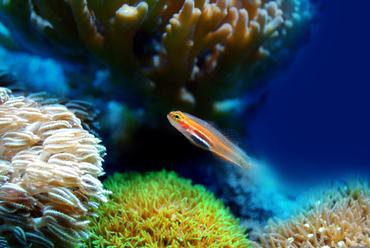
AQUARIUM SCREENSAVERS
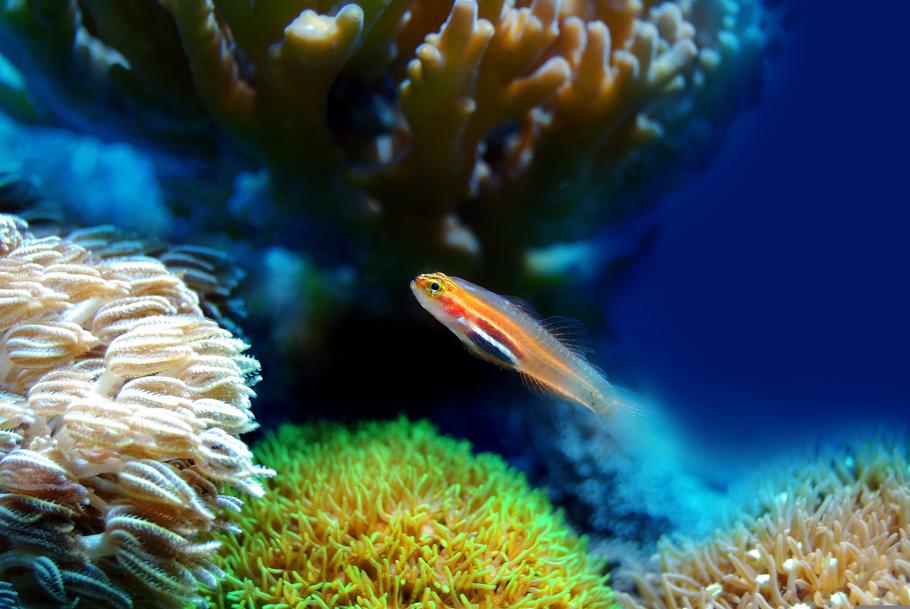
1. The Evolution of Digital Aquariums: Video Loops vs. 3D Rendered Simulations
When selecting an aquarium screensaver for your desktop computer, laptop, or smart television, the primary decision lies in choosing between pre-recorded video loop screensavers and real-time 3D rendered simulations. Understanding the structural and technical differences between these two formats will help you select the ideal setup for your hardware capabilities and aesthetic goals.
High-definition and 4K video loop screensavers rely on actual footage recorded from established display aquariums, public aquatic exhibits, or natural reef environments. These options offer the highest possible level of visual realism because you are watching true biological life. Every subtle movement of micro-particles in the water column, natural light shimmer, and authentic plant sway is captured on camera. However, because these screensavers operate on a continuous loop, observant viewers will eventually spot repeating swimming patterns or noticeable edit seams. Additionally, high-bitrate 4K video files demand significant local disk storage or a continuous, high-speed internet connection if streamed live through smart TV applications.
Real-time 3D rendered aquarium simulations generate environments, lighting, and aquatic life dynamically using your computer or display device's graphics processor. Rather than playing back a static video file, dynamic 3D simulations feature randomized fish swimming paths, real-time physics calculations for foliage movement, and dynamic lighting that can synchronize with your local time of day. Advanced dynamic applications allow users to customize substrate types, adjust water clarity, reposition rocks and driftwood, and manually choose which aquatic species stock the virtual tank. While early dynamic screensavers appeared artificial and rigid, modern rendering engines reproduce accurate scale textures, realistic fin transparency, and believable schooling behavior.
2. Selecting the Right Aesthetic: Freshwater vs. Saltwater Virtual Environments
Just like setting up a physical display in your home, choosing a digital aquarium screensaver often comes down to deciding between freshwater and marine ecosystems. Each style offers a distinct color palette, structural design, and selection of iconic species.
Freshwater virtual environments emphasize soothing greens, rich earth tones, intricate driftwood formations, and dense aquatic plant life inspired by Nature Aquarium and Dutch aquascaping styles. The tranquil motion of gentle water currents rustling foliage makes freshwater screensavers popular for productive work environments and study spaces. Key freshwater species commonly featured in digital displays include:
- Neon Tetras (Paracheirodon innesi): Famous for their brilliant horizontal iridescent blue and red stripes, these small schooling fish add rapid, coordinated movement across dense green backgrounds.
- Discus (Symphysodon spp.): Highly prized cichlids known for their tall, lateral disk shapes, intricate body patterns, and slow, majestic swimming style that creates a serene atmosphere.
- Angelfish (Pterophyllum scalare): Elegant specimens featuring dramatic vertical fins and calm swimming behaviors, offering impressive vertical height to virtual planted tanks.
- Guppies (Poecilia reticulata): Energetic top-to-midwater dwellers displaying vibrant, flowing tail fins that inject colorful activity throughout the upper water column.
Saltwater reef screensavers focus on high-contrast visuals, rich blue lighting gradients, swaying sea anemones, and colorful stony corals. Marine displays excel at transforming large living room screens into eye-catching focal points. Featured marine species generally include:
- Ocellaris Clownfish (Amphiprion ocellaris): Vibrant orange and white reef fish known for their playful, characteristic waddling swimming motion near host anemones.
- Blue Tang (Paracanthurus hepatus): Striking deep-blue specimens featuring bold black markings and bright yellow tails that sweep across coral formations.
- Yellow Tang (Zebrasoma flavescens): Radiantly colored reef grazers providing brilliant neon accents against dark rockwork and deep blue backgrounds.
If you are exploring these distinct aquatic styles to determine which dynamic you might like to build in real life, check out our detailed guide on freshwater vs. saltwater aquariums to compare real-world costs, maintenance commitments, and equipment needs.
3. Software Performance, Resolution, and Hardware Compatibility
Ensuring your chosen digital aquarium runs smoothly without straining your computer hardware requires paying attention to software settings, display resolutions, and resource allocation.
System resource allocation is a critical consideration when running interactive 3D virtual tanks. Rendering high-polygon fish models with real-time lighting calculations requires ongoing processing power from your Graphics Processing Unit (GPU). On laptops, unoptimized screensavers can rapidly drain battery life or cause internal cooling fans to run continuously. To prevent hardware strain, opt for software that includes configurable frame-rate caps (such as locking output to 30 or 60 FPS) or features an automatic pause mode whenever your primary display is active or running secondary applications.
Display resolution scaling is another vital technical aspect. A 1080p video loop stretched across a 4K monitor or ultra-wide desktop monitor will appear pixelated and soft. High-quality aquarium software offers native 4K rendering and multi-monitor support, allowing full-screen span configurations across dual or triple display workstations without stretching or aspect ratio distortion.
Interactive customization features elevate high-end digital aquariums into engaging virtual hobbies. Premier software titles allow users to feed virtual fish with simple mouse clicks, trigger glass cleaning animations, add customizable lighting cycles, or toggle calming water flow audio. Ambient sound design—including gentle filter hums, rhythmic air bubble popping, and soft water trickling—can be tuned independently to transform your computer station into a relaxing sensory environment.
4. Common Beginner Mistakes with Digital Aquarium Displays
While running a screen-based aquarium eliminates traditional fishkeeping challenges like cycling nitrogen compounds or treating diseases, users frequently make aesthetic and configuration errors that ruin the immersive experience.
Overcrowding virtual environments with biologically incompatible species is the most frequent design mistake. Custom software often lets users place aggressive saltwater predators alongside peaceful freshwater schooling fish. While digital fish cannot harm each other, mixing species from completely different habitats destroys the visual realism of the setup. Sticking to authentic geographical or ecosystem groupings ensures your digital display looks natural and balanced.
Improper brightness and contrast calibration can also degrade both your display panel and viewing comfort. Leaving an overly bright digital aquarium running indefinitely on OLED screens can accelerate panel wear or lead to image retention over long periods. Utilizing built-in sleep timers, enabling automatic day-night lighting cycles, or dimming overall display brightness during evening hours protects your hardware while mimicking real-world tropical lighting patterns.
Finally, mismanaging audio volume settings often causes irritation over time. Continuous, unoptimized sound loops can quickly shift from peaceful ambient background noise to a distracting annoyance. Adjusting audio sliders to low levels—or pairing the visual display with soft background music—keeps the environment relaxing rather than disruptive.
5. Compatibility and Care: Transitioning from Virtual to Real Aquariums
For many dedicated hobbyists, enjoying a realistic digital screensaver is the spark that inspires them to build a real, living aquarium. However, bridging the gap between a virtual tank and a live ecosystem requires shifting from aesthetic customization to active biological stewardship.
In a digital aquarium, fish never suffer from poor water parameters, aggressive tankmates, or improper nutrition. In live aquarium keeping, success depends on maintaining stable water chemistry, managing beneficial bacteria colonies, conducting regular routine maintenance, and carefully balancing stocking levels.
Understanding species compatibility is essential when planning a living tank setup. Unlike virtual fish that exist harmoniously regardless of size or temperament, live fish have distinct territorial boundaries, dietary needs, and water parameter requirements. Combining aggressive cichlids with slow-moving long-finned species, or placing micro-fish with large predatory species, leads to stress and loss in a live display.
If your digital screen display has motivated you to take the plunge into real-world fishkeeping, take the time to learn foundational biological concepts before buying equipment. Read our practical walk-through on selecting a freshwater aquarium setup to master tank placement, substrate selection, and equipment choices. Additionally, explore our compiled resources on building your aquatic community to select hardy, adaptable inhabitants that guarantee a smooth start to your new hobby.
Takeaway: Transforming Your Screens into Peaceful Aquatic Spaces
Digital aquarium screensavers provide a hassle-free, visually stunning method for bringing the soothing atmosphere of marine and freshwater environments into homes, offices, and entertainment setups. By selecting the right format—whether photorealistic 4K video loops or dynamic 3D simulations—and balancing resolution and resource settings, you can create a customized aquatic backdrop tailored precisely to your equipment. Enjoy the peaceful movement of your virtual display, use it as inspiration for future aquascapes, and when you are ready to take the next step into live fishkeeping, rely on our step-by-step guides to build a real-world aquarium that thrives.


MOST RECENT ARTICLES